



Ballonix App - the crash game in your pocket
Ballonix App - download the mobile app for Android and iOS
The Ballonix app puts the crash game by InOut Games on your phone, with faster loading and one-tap access from your home screen. It runs the exact same game as the website – the balloon rises, the multiplier grows, and you cash out before it pops – but with a layout built for touch and quick sessions on the go. You do not have to install anything to play: Ballonix also opens instantly in any mobile browser. This page covers how to get the app on Android and iOS, what you need to run it, and how it compares to playing in the browser.
Why use the app
The app and the browser share one account and balance, so nothing is lost by installing it – it simply adds a few conveniences.
- Faster access – one tap from your home screen, no typing the address each time.
- Quicker loading – lighter on data, so short rounds stay smooth even on a weaker connection.
- Full-screen play – a clean, touch-first layout with no browser bars in the way.
- Auto cash-out on hand – set a target multiplier and let the app exit for you.
- Same account everywhere – your balance, history and limits sync across phone and desktop.
App at a glance
How to download on Android
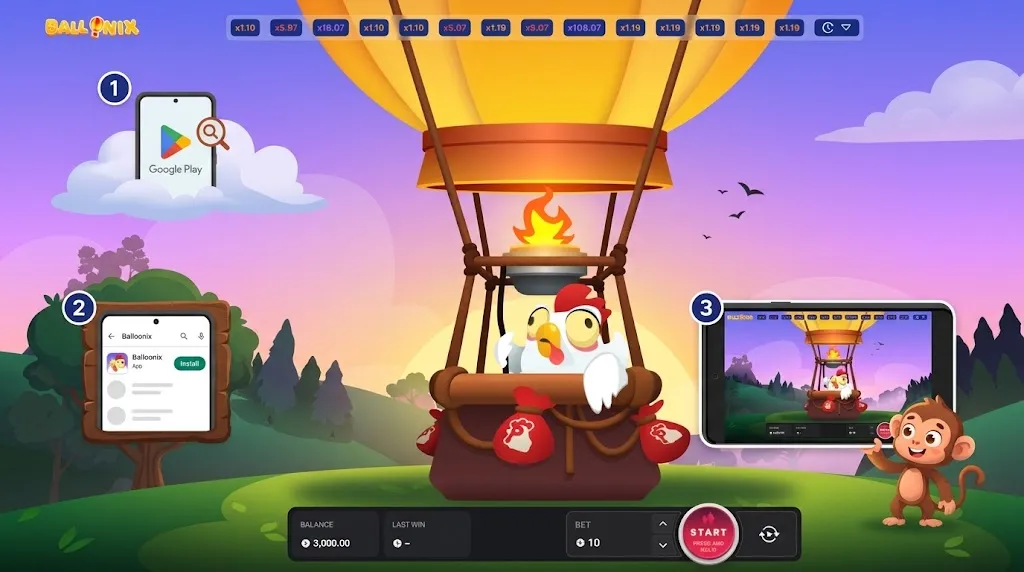
Ballonix on Android is installed straight from the site rather than the Play Store, which is normal for real-money gaming apps.
- Open the site on your phone. Visit Ballonix in your mobile browser and go to the App section.
- Tap download. Choose the Android (APK) option to start the download.
- Allow the install. When prompted, permit installs from this source in your settings – a one-time step.
- Open and sign in. Launch the app, log in or register, and the Ballonix icon stays on your home screen.
How to use it on iPhone and iPad
On iOS, Ballonix runs as a web app you add to your home screen – no App Store download needed, and it opens full-screen like a native app.
- Open Ballonix in Safari. Visit the site on your iPhone or iPad.
- Tap the Share button. It is the square-with-arrow icon in the Safari toolbar.
- Choose “Add to Home Screen”. Confirm, and a Ballonix icon appears on your home screen.
- Launch and play. Tap the icon to open the game full-screen, then sign in.
System requirements
Ballonix is lightweight and runs on almost any modern phone. As a rough guide:
App or browser – which should you use?
Both play the identical game with the same account, so it comes down to convenience. This table sums up the difference:
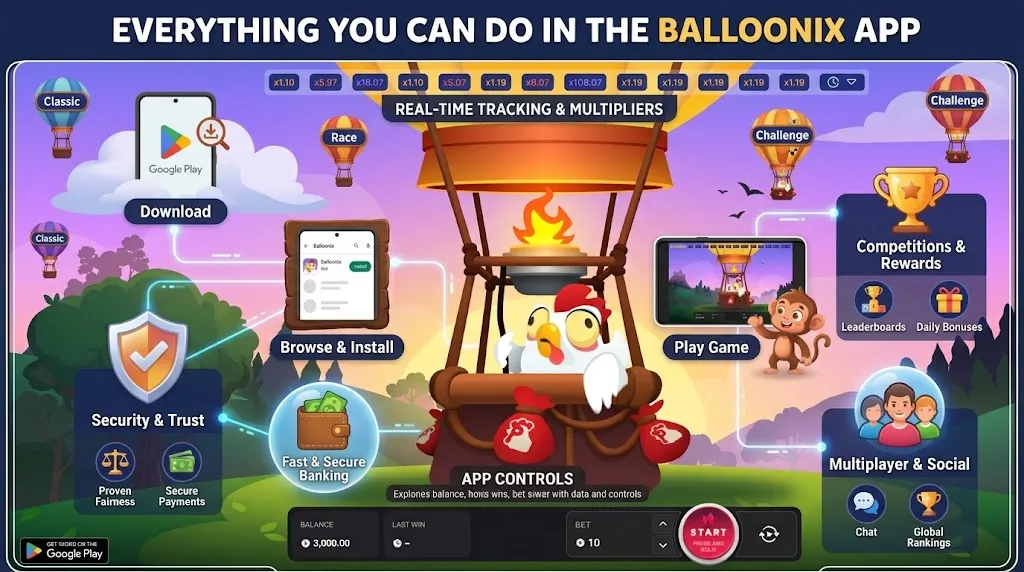
Everything you can do in the app
The app is the full Ballonix experience, not a cut-down version.
- Play the crash game in free demo mode or for real money.
- Set an auto cash-out target and adjust your stake with touch controls.
- Deposit and withdraw with Visa, Mastercard, Bitcoin or USDT.
- Redeem promo codes from the Promo Code page.
- Manage your account, view history, and set responsible-gaming limits.
Signing in, deposits and withdrawals
Your Ballonix login works across the app, the browser and desktop, so you only ever have one account.
- Open the app, tap login, and enter your details – or register in a minute if you are new.
- Fund your balance with Visa, Mastercard, Bitcoin or USDT; crypto is usually the fastest to clear.
- Withdrawals are released after a one-time identity check – see the Real Money page for details.
- Ballonix is offered across many licensed casinos; compare them on the Casino page.
Responsible gaming on mobile
Because the app makes it so easy to start a round, limits matter even more on mobile. You must be 18 or older to play.
- Set deposit, loss and time limits, reality checks, time-outs or self-exclusion right inside the app.
- Treat Ballonix as entertainment, not a way to make money, and never chase a loss.
- Free, confidential help in the UK: GamCare 0808 8020 133, BeGambleAware, or GAMSTOP.
- More tools and links on the Responsible Gaming page.
Frequently asked questions
Quick links: How to Play · Promo Code · Real Money · Casino · Responsible Gaming · Terms & Conditions · Privacy Policy
18+. Play responsibly. Only download the app from the official Ballonix site.